Disclaimer: This content is for informational purposes only and does not replace professional medical advice, diagnosis, or treatment. Always consult a qualified healthcare provider before beginning any new exercise program.
You’ll find that positioning the desk 8‑10 inches above the elliptical’s highest pedal point and using a non‑slip mat creates a stable platform, while a chair adjusted so your feet rest flat on the pedals keeps your knees at 90°. Maintaining a neutral spine and engaging your core lets you pedal efficiently at 40‑50 rpm, then ramping resistance every five minutes supports cardiovascular benefits. Monitoring heart rate and cadence guarantees you stay in the target zone, and brief micro‑breaks protect your hips and calves. The next step is fine‑tuning resistance and cadence for peak productivity.
Key Takeaways
- Adjust chair height so feet rest flat on pedals, thighs parallel, knees at 90°, and hips slightly above knees.
- Keep desk clearance 8–10 inches above pedals and place the elliptical on a non‑slip, anti‑vibration mat.
- Start with low resistance (1‑2) and 40‑50 rpm, increasing resistance every 5 minutes while maintaining 60‑70 rpm cadence.
- Take 2‑minute micro‑breaks every 20‑30 minutes to stand, stretch hips and calves, and never exceed 60 minutes continuous seated pedaling.
- Monitor heart rate with a sensor, set alerts at target zones, and log resistance and duration to reach ≥150 minutes moderate activity weekly.
How to Position Your Desk and Under‑Desk Elliptical for a Stable, Safe Setup
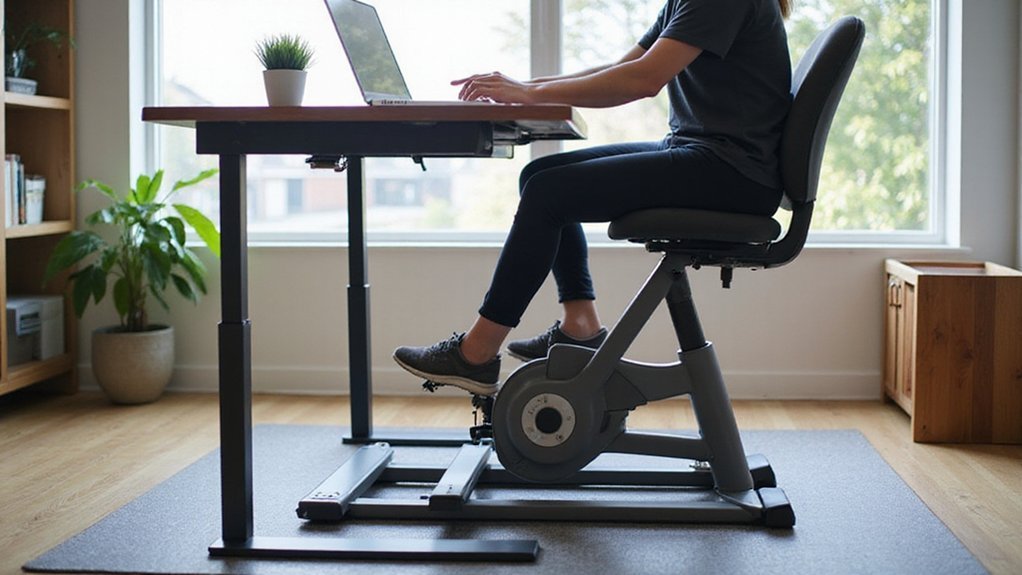
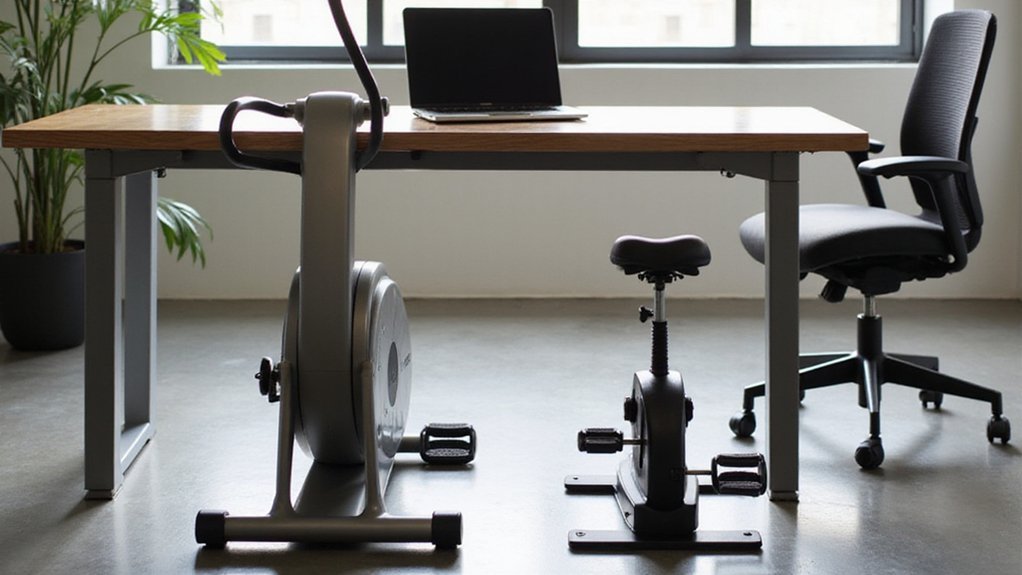
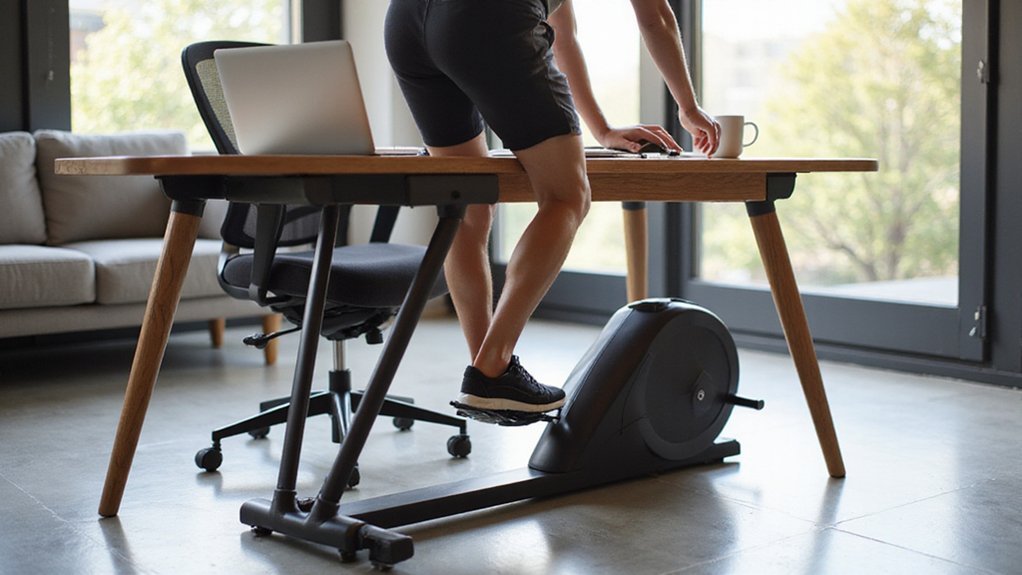
When you set up an under‑desk elliptical, first pick a desk height that leaves at least 8–10 inches (20–25 cm) of clearance between the tabletop and the pedals at full extension, which lets your knees bend 10–15° comfortably.
Measure the underside‑to‑floor distance and confirm it exceeds the elliptical’s maximum pedal travel (≈6–7 inches).
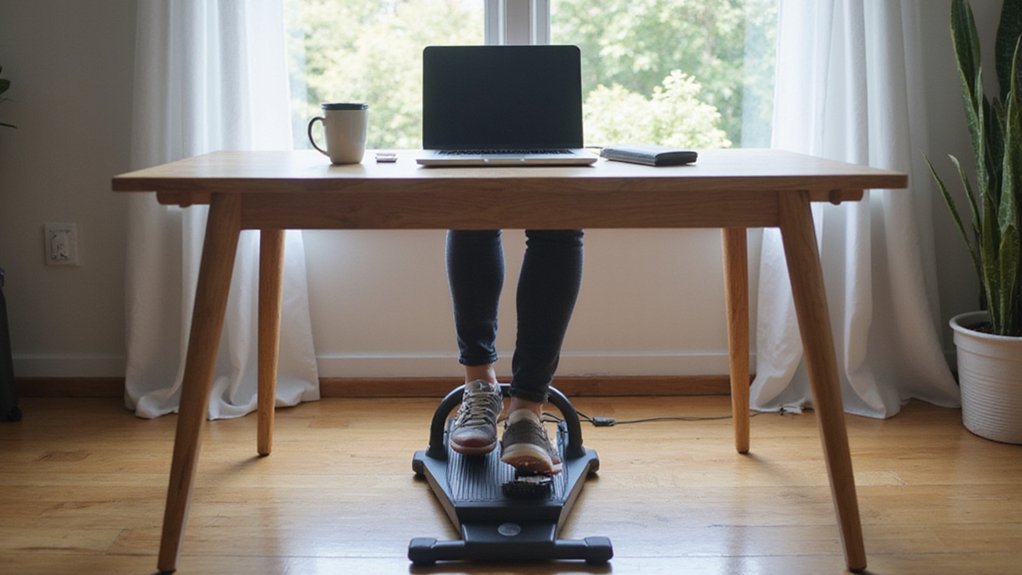
Center the unit under the desk so pedal alignment matches the natural hip width (≈16–18 inches) and place the base on a non‑slip mat to prevent movement.
Adjust your chair so your feet rest flat on the pedals, thighs parallel to the floor, and knees at ~90°.
Secure cords away from the pedal path with a cable organizer.
This configuration maximizes stability, maintains ergonomic posture, and minimizes injury risk.
Master Under‑Desk Elliptical Posture & Pedal Technique While Working
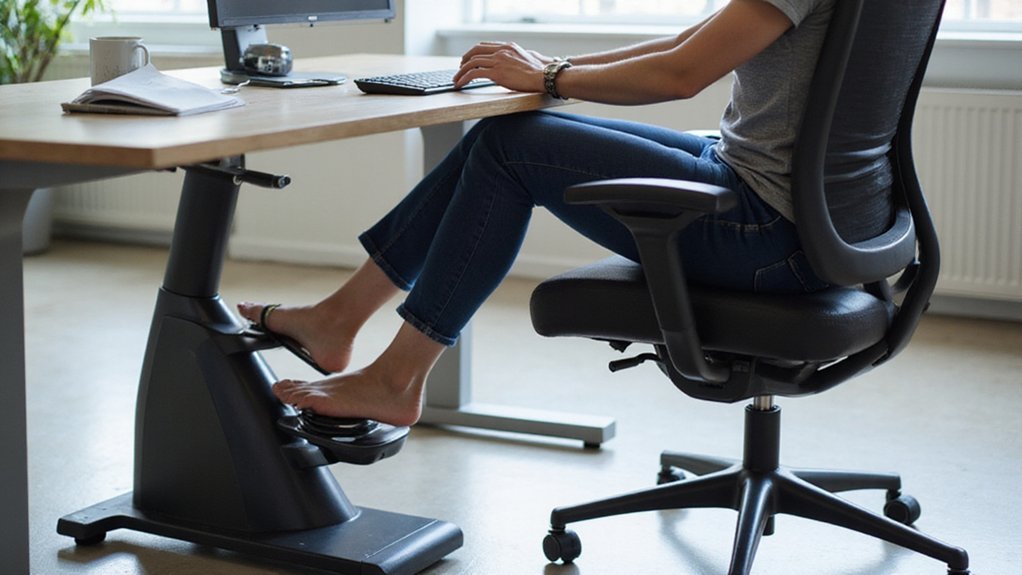
A stable, well‑positioned desk sets the stage for proper movement, so once your under‑desk elliptical is centered and secured, focus on posture and pedal mechanics.
Sit upright with hips slightly above the knees, keeping a 90‑degree knee bend at full extension to minimize joint strain.
Place the ball of your foot on the pedal, keep the heel down, and avoid excessive ankle flexion; this promotes a smooth elliptical motion.
Engage your core, maintain a neutral spine, and relax shoulders to prevent neck or back discomfort.
Check posture every 30 minutes, readjust chair height and pedal distance so knees stay aligned over ankles.
Consistent, evidence‑based pedal technique and proper posture maximize safety while you work.
Pick the Right Resistance & Cadence for Your Under‑Desk Elliptical
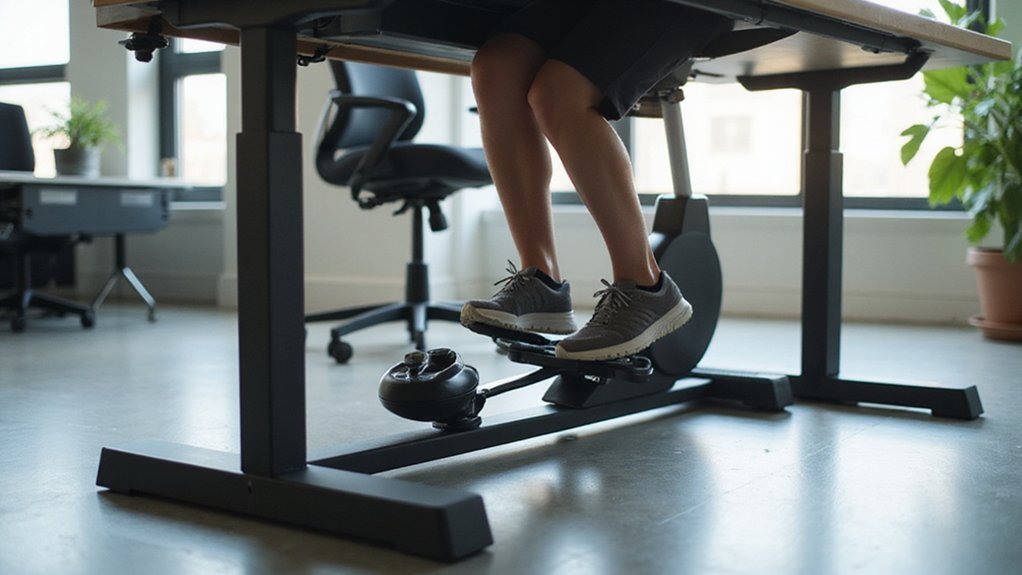
If you start with low resistance (level 1–2) and a cadence of 40–50 rpm, you’ll warm up safely before incrementally raising the load; increase the resistance by one level every five minutes while keeping the cadence between 60–70 rpm to achieve moderate intensity, and use the device’s display or a smartwatch to guarantee the cadence never falls below 45 rpm for more than 30 seconds, otherwise reduce the resistance to maintain smooth, continuous motion.
- Light work: resistance 1–3, cadence < 60 rpm, minimal vibration.
- Moderate phase: resistance 4–5, cadence 60–70 rpm, steady calorie burn.
- Calorie‑burst: resistance 6+, cadence 70–80 rpm, Borg 12–14, short intervals.
Monitor cadence continuously; if it dips, adjust resistance instantly. This systematic approach optimizes the elliptical machine’s output while preserving posture and productivity.
Set Session Length & Break Frequency for Your Under‑Desk Elliptical
After establishing the appropriate resistance and cadence, you should determine how long to pedal and when to pause.
Begin with a 10‑15‑minute session length, then add five minutes weekly until you reach 30‑45 minutes, which delivers ≈150 kcal per hour without sacrificing work output.
Enforce a break frequency of one 2‑minute micro‑break every 20‑30 minutes; during each micro‑break, stand, stretch hips and calves, and reset posture to reduce joint strain and neck fatigue.
Use a timer or app to keep work intervals within 20‑30 minutes and never exceed 60 minutes of continuous seated pedaling, preserving circulation.
Alternate resistance every 5‑10 minutes to prevent muscular fatigue while maintaining a low‑moderate heart rate.
Log session length and resistance daily to verify you achieve ≥150 minutes of moderate activity each week.
Monitor Heart Rate & Calories Without Losing Focus
Monitoring your heart rate and calorie burn while you work can stay seamless when you pair a lightweight strap‑or wrist‑based sensor with a dedicated phone app.
The sensor syncs instantly, letting you glance at data without diverting eyes from the screen.
Set an alert threshold (e.g., 120 bpm) so a subtle vibration cues you when you exceed the target zone, preserving focus.
Enter the elliptical’s resistance level and your weight into the app to calculate calorie burn—at resistance 3, a 70 kg adult burns ~1.2 kcal/min.
Enable auto‑pause so recording stops when you stand, preventing inflated totals.
After each work block, review a concise five‑minute summary of heart‑rate zones and calorie count.
Key steps
- Choose chest‑strap or wrist sensor and sync to app.
- Configure vibration alert at desired heart‑rate threshold.
- Activate auto‑pause for accurate calorie tracking.
Fine‑Tune Elliptical Seat, Pedal, and Desk Height for Your Body Type
Three key adjustments—desk height, seat/pedal position, and chair height—ensure ergonomic alignment for any body type.
Set desk height so elbows rest at a 90‑degree angle, forearms parallel to the floor, typically 28–30 inches from the floor.
Adjust the pedal platform so knees bend 15–20° at the top of the stroke and the pedal axis sits 2–3 inches behind the knee joint, reducing joint strain.
Position the ball of your foot near the footplate center, with the heel slightly lower than the toe, to preserve natural ankle motion.
Verify desk clearance of at least 2–3 inches between the desk underside and the pedal’s travel arc to prevent contact.
Choose a chair with a stable base and seat height that keeps thighs parallel to the floor, usually 16–18 inches from cushion to floor.
Troubleshoot Noise, Comfort, & Compatibility Issues on Your Under‑Desk Elliptical
When the elliptical squeals, a quick spray of silicone on the pedal hinge and magnetic drive—followed by tightening any loose bolts—eliminates friction‑induced noise.
Next, address vibration and desk‑surface protection by adding a ½‑inch anti‑vibration mat; studies show a 30 % reduction in perceived noise.
Finally, verify ergonomic compatibility: seat height should yield a 15° knee bend at full extension, and desk clearance must exceed 6 inches to prevent pedal‑desk contact that creates grinding sounds.
- Apply silicone spray and tighten bolts.
- Install anti‑vibration mat beneath the unit.
- Adjust seat height and guarantee ≥6 inches clearance.
Conclusion
By aligning desk and elliptical height, maintaining neutral spine, and using appropriate resistance and cadence, you’ll achieve safe, effective low‑impact cardio while working. Regular micro‑breaks, heart‑rate monitoring, and posture adjustments minimize musculoskeletal strain and optimize energy expenditure. Consistent tracking of session duration and resistance guarantees you meet weekly activity guidelines, while fine‑tuning setup and troubleshooting noise preserve comfort and productivity.